Top 5 AI garden planner alternatives (2026 comparison)
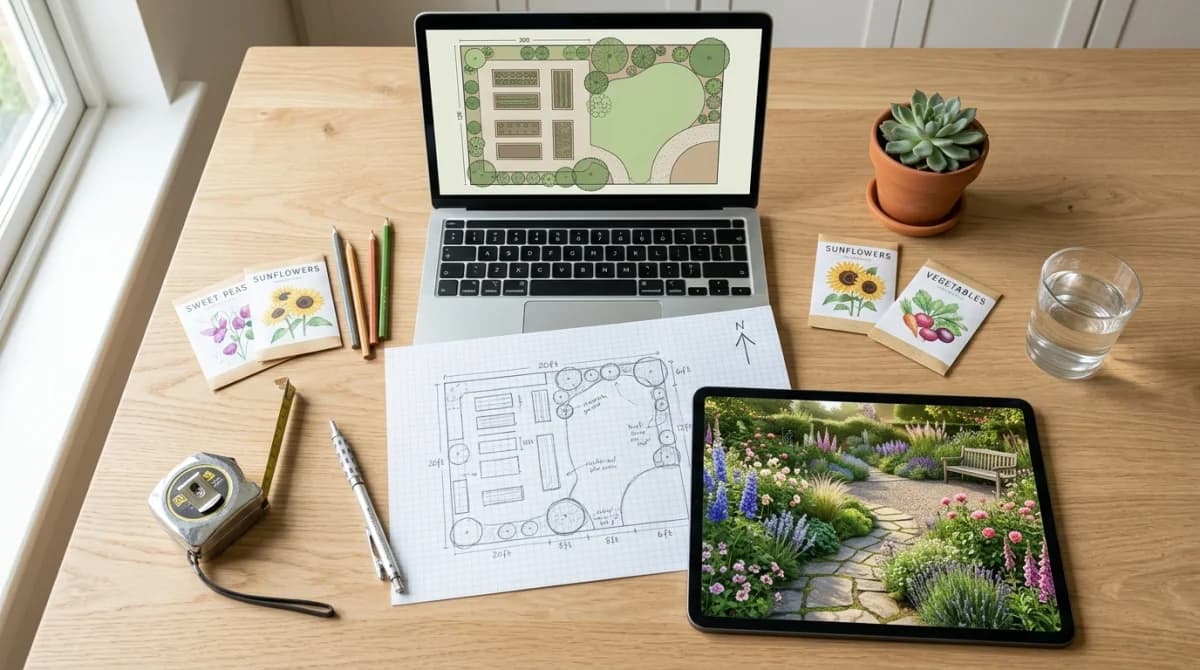
Gardenly is the best AI garden planner alternative for most people: it turns a photo of your space into a photorealistic redesign with a climate-matched plant list in under 30 seconds, and its cheapest paid plan costs $54 a year against AIGardenPlanner’s $99.
Two kinds of reader land on this page. Some of you have used AIGardenPlanner at aigardenplanner.com and want something cheaper or better suited to a single yard. The rest of you typed the phrase as a category, looking for any AI tool that plans a garden. Both groups get served below: the ranked list works either way, and the comparison table marks which tools redesign a photo and which draw a measured layout.
Verified 14 August 2026. Prices come from each vendor’s own pricing page on that date. AIGardenPlanner lists Starter at $9 a month on annual billing ($99 a year, or $19 month to month), Professional at $21 ($249 a year), and Business at $42 ($499 a year), with a 30-day money-back guarantee and no free tier for AI designs.
AIGardenPlanner in one paragraph
AIGardenPlanner runs in the browser. Upload a photo, pick from 50+ styles, and it returns a design in around a minute. Beyond the render it offers a drag-and-drop 3D editor with 400+ models, a plant advisor that builds location-aware plant lists, a plant detector, and video animation. Everything runs on credits: one for a garden design or a plant detection, five for a quick 3D tour, ten for a video, thirty for a full-detail 3D build. Starter includes 100 credits a month and caps you at 4 projects with personal-use rights, so commercial work means the $249-a-year Professional tier.
Advantages
- 50+ styles plus custom style creation on paid tiers
- 3D drag-and-drop editor free to use with 400+ models
- Plant advisor produces climate-aware plant lists and care guides
- Video animation and 3D tours from the same credit balance
- Commercial license and white-label branding on higher tiers
Drawbacks
- No free tier for AI photo designs, only the 3D editor
- Starter limits you to 4 projects
- Commercial use requires the $249-a-year Professional plan
- Month-to-month pricing more than doubles the annual rate
- 3D tours and video burn credits fast at 5 to 30 each
The 5 best alternatives
Gardenly
- Upload a photo, get a photorealistic redesign of that exact space
- 27 garden styles from Modern and Cottage to Japanese and Native
- Plant list matched to your hardiness zone, with quantities and care notes
- Shopping list a nursery or contractor can price
- Sketch-to-render conversion and AI video from the same credits
- Starter $4.50/mo and Pro $7/mo on annual billing, credit packs from $2.50
- No measured 2D floor plan or scale drawing
- Paid plans include no free render allowance
- 20 credits a month on Starter runs out if you iterate hard
Best for: Redesigning a real yard, balcony or patio and walking away with something you can plant
“Half the entry price of AIGardenPlanner, with the plant quantities and shopping list that turn a render into a weekend of work.”
Gardenly shares the photo-first workflow but narrows the focus to gardens. You upload a photo of a yard, patio, balcony or courtyard, choose one of 27 styles, and get back a render of that space from the same camera angle. The output names each species, adapts the selection to your climate zone, gives quantities, and produces a shopping list plus care guidance. Hand sketches convert to renders too, and any design can become a short video.
Starter costs $9 a month or $4.50 on annual billing with 20 credits, Pro costs $14 or $7 with 100 credits. That puts the annual entry point at $54 against $99 for AIGardenPlanner Starter, with no project cap. Credit packs from $2.50 cover people who design once.
Two honest gaps: Gardenly draws no measured 2D plan, so anyone laying out irrigation or paving from dimensions needs a second tool, and there is no free render tier. Our Gardenly vs AI Garden Planner piece goes deeper on the workflow split. Try it on the AI garden design page.
Neighborbrite
- Free tier renders without a credit card or a trial countdown
- Photo, style, render in three steps
- Pro adds plant recommendations tied to your location
- Magic Edit swaps one element instead of regenerating
- Sunlight filters show how light moves across the space
- Style list is short next to AIGardenPlanner's 50+
- Plant lists sit behind the $15 Pro plan
- No quantities, shopping list or planting guide
- Results depend on photo quality
Best for: Finding out whether AI garden design suits you before spending anything
“The free tier does what no paid plan can: it costs nothing to find out. Pro at $15 is where the value argument falls apart.”
Neighborbrite is the answer for anyone unwilling to pay before seeing output. Upload a yard photo, pick a style, get a render, no card required and no trial clock ticking. Hundreds of thousands of homeowners have run a photo through it.
Pro at around $15 a month brings plant recommendations for your location, Magic Edit and sunlight simulation. At that price it costs more than Gardenly Pro on annual billing while stopping short of quantities and planting guidance. Treat the free tier as your category test, then compare the paid options in our Neighborbrite alternatives roundup.
Planner 5D
- Draws to real dimensions, so paving and beds line up
- Free plan with unlimited projects and about half the catalog
- Premium at $4.99/mo on annual billing unlocks the full 10K+ catalog
- AI Design Generator included with Premium
- Handles house interiors and outdoor spaces in one project
- Free exports carry a watermark and block resizing and textures
- 4K renders need the Professional tier at $33.33/mo annual
- Month-to-month Premium jumps to $19.99
- Plant catalog is thin next to dedicated garden tools
- No climate-matched species recommendations
Best for: Planning a garden layout to scale, where measurements matter more than photorealism
“The pick when you need a plan with dimensions rather than a pretty render. Weak on plants, strong on geometry.”
Planner 5D belongs to a different half of the category. Instead of restyling a photo, you draw the space to real dimensions and place objects in it, then render the result in 2D or 3D. For laying out raised beds, a patio or an irrigation run, that beats any photo tool, because the output carries measurements you can take to a builder.
The free plan gives unlimited projects and roughly half the furniture catalog, with watermarked exports. Premium at $4.99 a month on annual billing ($19.99 month to month) unlocks the full 10,000+ item catalog and the AI Design Generator. Professional, at $33.33 a month on annual billing, adds 4K renders and CAD export.
Plants are the weak spot. Planner 5D knows shapes, not species, so pair it with a plant list from elsewhere.
Hadaa
- $12 for one render, $9 each in packs of three or more
- 22 4K images per purchase across styles, angles and seasons
- Zone-verified planting guide delivered as a PDF
- Colour-coded blueprint showing where each plant goes
- Bill of quantities with plant counts and mulch volumes
- No subscription and no auto-renewal
- Iterating means buying another render
- Sketch projects return 4 renders instead of 22
- Commercial licensing needs Pro Studio from $29 a month
- No layout drawing or measured plan
Best for: One renovation where you want documents a contractor can quote from
“The strongest no-subscription option. A bill of quantities for $12 undercuts every monthly plan here on a single project.”
Hadaa charges per project rather than per month. One render costs $12, or $9 each in packs of three or more, and each purchase returns 22 photorealistic 4K images: eight styles, eight camera angles, plus seasonal and night versions. The package also carries a planting guide checked against your USDA zone, a blueprint mapping plant placement, and a bill of quantities.
If you plan one garden and then stop, this pricing makes more sense than renting a subscription for a month you use once. Professionals who need commercial rights, white-label PDFs and CAD-style output pay $29 a month for Pro Studio.
DreamzAR
- 3D AR walkthrough at true scale on iPhone and iPad
- 38+ garden styles and a 2,000+ plant and object catalog
- Chat refinement instead of regenerating from scratch
- Unlimited generations on both plans
- 2D editor for manual adjustments
- $19.99 a month, or $199 a year for the $16.60 rate
- AR mode is iOS only, at the same price for everyone
- Subscriptions do not transfer between iOS, Android and web
- No planting guide, quantities or shopping list
- No free tier on the pricing page
Best for: iPhone owners who want to stand in the yard and see the design at full height
“Buy it for the AR, because nothing else here does that. Everything except the AR costs less elsewhere.”
DreamzAR offers one thing no other tool on this list matches. After the AI generates a design, you point an iPhone or iPad at the yard and walk through it at true-to-life scale, judging whether a pergola crowds the path or a tree blocks a window.
Pricing runs $19.99 a month or $199 a year, which works out to $16.60 a month. Both plans include unlimited generations, 38+ styles and a 2,000+ item catalog. The AR mode stays iOS-only, so Android and web subscribers pay the same for less, and a subscription bought on one platform will not unlock another. See Gardenly vs DreamzAR or the full DreamzAR alternatives list.
Head to head
| Tool | Price | Free tier | Platform | Styles | Plant list | Best for |
|---|---|---|---|---|---|---|
| Gardenly | $4.50–$7/mo annual ($9–$14 monthly) | No | Web, iOS | 27 | Yes, zone-matched with quantities | Buildable photo redesigns |
| AIGardenPlanner | $9–$42/mo annual ($99–$499/yr) | 3D editor only | Web | 50+ | Yes, via plant advisor | Studios wanting 3D and video |
| Neighborbrite | Free, Pro around $15/mo | Yes, unlimited basic renders | Web | Short list | Pro plan only | Trying AI design free |
| Planner 5D | Free, Premium $4.99/mo annual | Yes, watermarked | Web, iOS, Android | Layout, not styles | No | Measured layouts |
| Hadaa | $12 per render, $9 in packs of 3+ | Preview only | Web | 8 per render | Yes, plus bill of quantities | One-off projects |
| DreamzAR | $16.60/mo annual, $19.99 monthly | No | iOS, Android, Web | 38+ | Catalog only | iOS AR walkthrough |
Also worth a look
Garden Planner from smallblueprinter sells a desktop license outright, listed at $48 on the developer’s site, with a 15-day trial and no subscription. It draws 2D plans with a 3D walkthrough and suits anyone who wants software they own. OutdoorBrite covers browser-based redesigns with plans at $23, $39 and $119 a month on annual billing for 25, 100 and 200 redesigns, aimed more at agencies than homeowners, and our top 5 OutdoorBrite alternatives covers the cheaper swaps.
Picking one
You want a redesign of your actual garden that you can plant. Gardenly delivers the render, the species, the quantities and a shopping list from $4.50 a month on annual billing. Hadaa does the same job for a single $12 payment.
You want a layout with real dimensions. Planner 5D draws to scale, free to start, $4.99 a month for the full catalog. Garden Planner sells you a license instead of renting one.
You want to spend nothing. Neighborbrite renders without a card, Planner 5D’s free plan draws unlimited projects, and Gardenly’s free tools answer specific questions with no account.
You want AR or video. DreamzAR owns the AR walkthrough on iOS. AIGardenPlanner and Gardenly both generate video from a design.
You are a landscaper billing clients. AIGardenPlanner Professional ($249 a year) and Hadaa Pro Studio ($29 a month) both carry commercial licenses, and Hadaa adds white-label PDFs.
Anyone comparing the whole field should read our ranked list of AI garden design apps, and if plant identification matters as much as design, the PictureThis alternatives guide covers that side. Gardenly’s own plans sit on the pricing page.
Frequently Asked Questions
Sources